Our work
Concept demos that show how we build
CoxLume is a new agency. Explore four original, working concept projects with synthetic data so you can judge the work directly. Real case studies will be added only with client permission.
Four demos at a glance
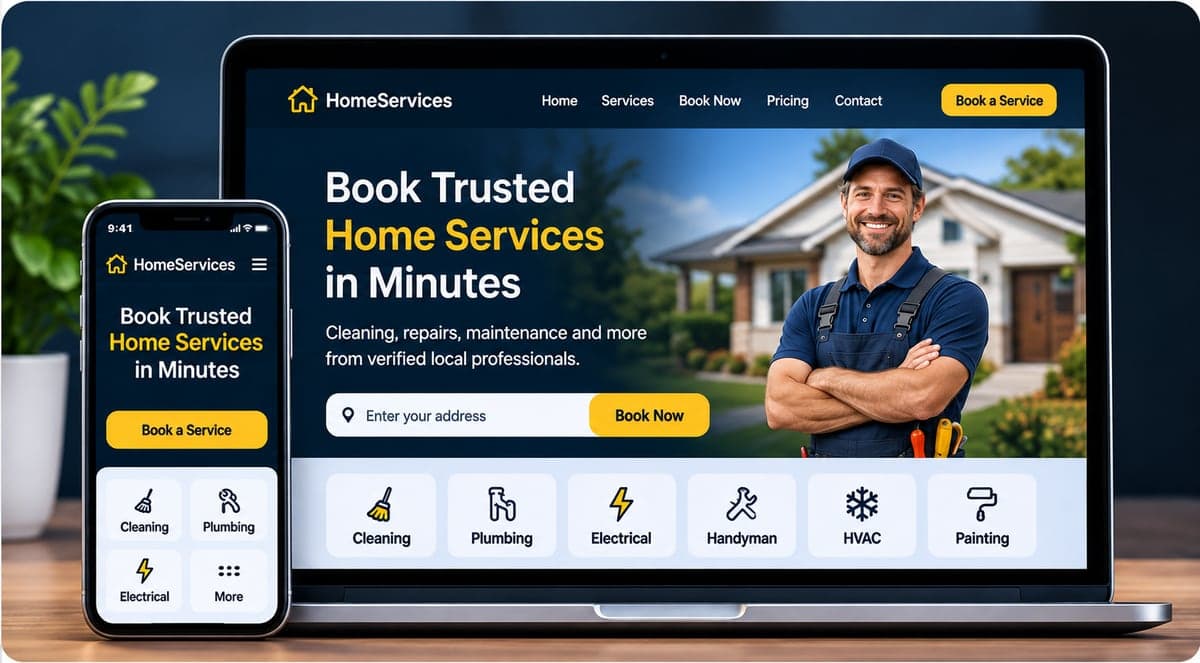
Website · Booking
Local Service Booking Website
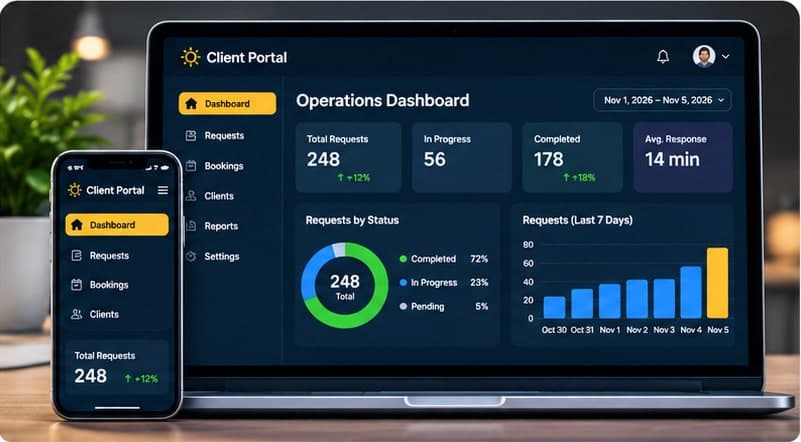
Software · Client portal
Operations Dashboard / Client Portal
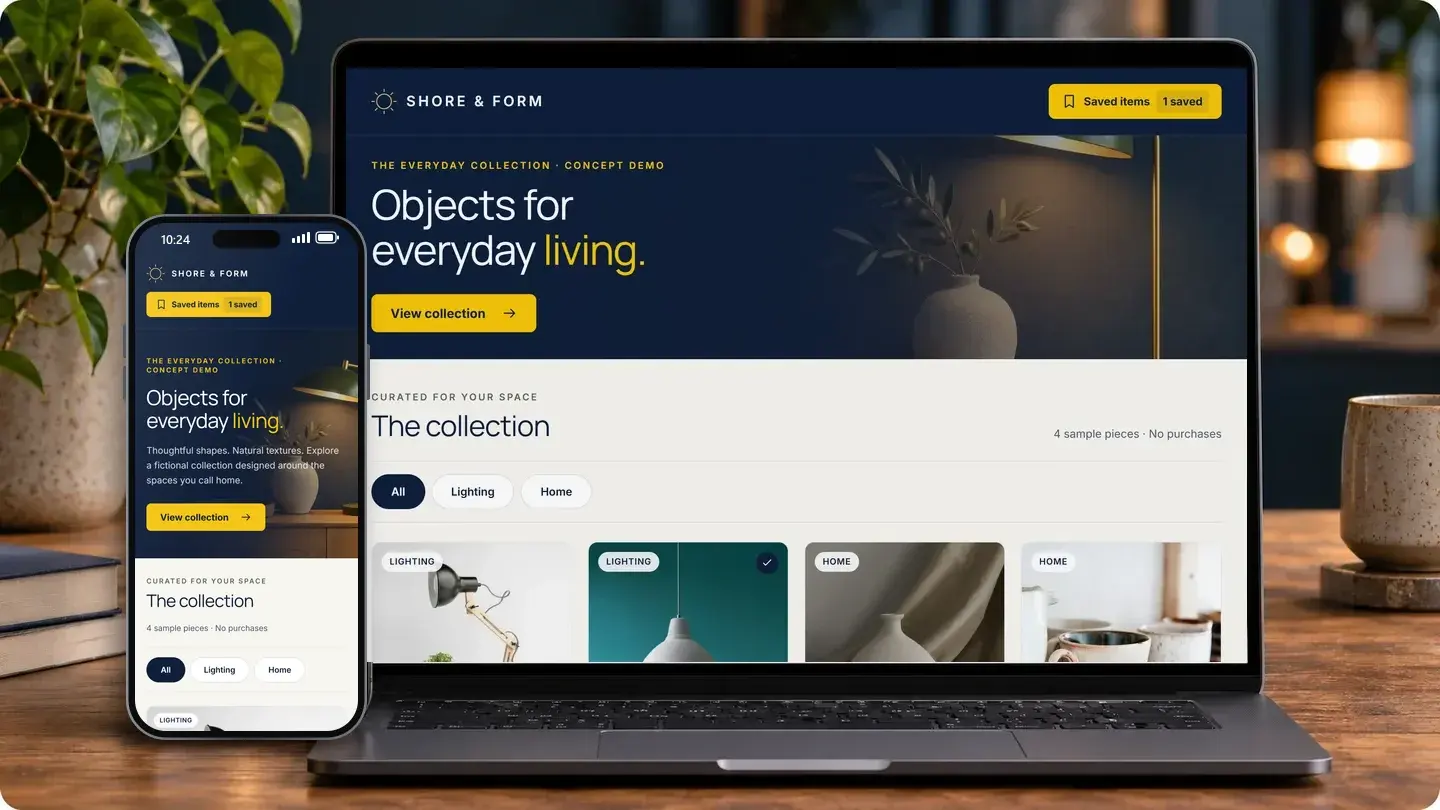
Website · Catalogue
Product Catalogue & Shortlist
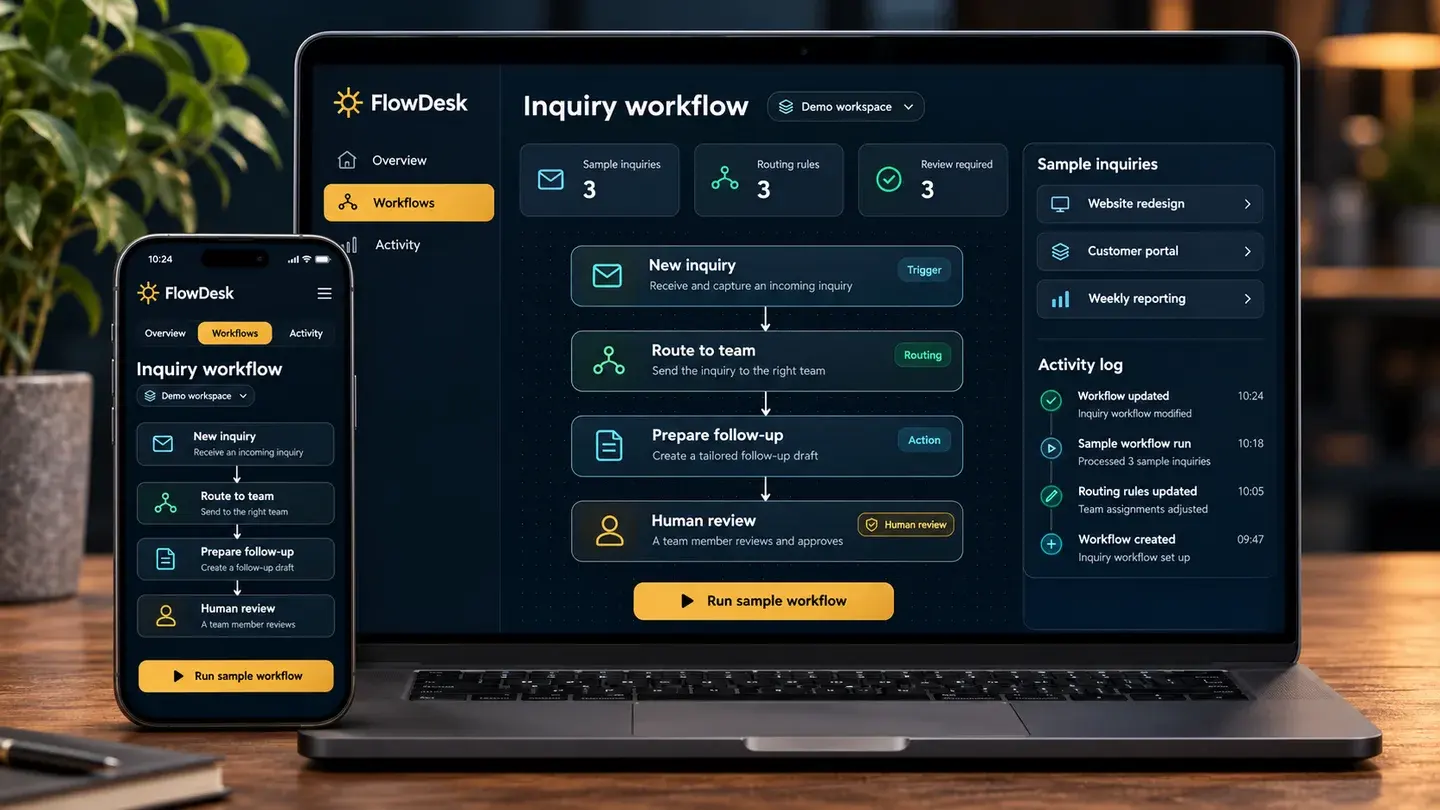
Automation · Workflow
Inquiry Routing & Follow-up
Concept Demo · Website · Booking
Local Service Booking Website
A mobile-first site for a fictional home-services company, “HomeServices,” where visitors enter an address, pick a service and request an appointment in a few taps.
The illustrative problem
Most visitors arrive on a phone, can’t quickly tell which services are offered, and call instead of booking, which costs staff time and loses after-hours leads.
Who it’s for
Homeowners on a phone who want to book a trusted local service without phoning during office hours.
The key workflow
- Enter an address
- Choose a service
- Pick a preferred time
- Add details and send the request
Why it’s designed this way
The booking action sits in the first screen because that is the visitor’s goal. Large service tiles and one question per step keep it usable with a thumb, and the confirmation says “requested,” not “booked,” until staff confirm.
Features
- Hero with address search and a clear “Book Now” action
- Service tiles (cleaning, plumbing, electrical, handyman, HVAC, painting)
- Step-by-step booking request (service → time → details)
- Inline validation and confirmation states
What a production version would need
A connection to a real scheduling tool or calendar, staff notifications, confirmation emails, spam protection and the business’s real service areas and hours.
Technology
Next.js, React, TypeScript, Tailwind CSS. All business details and availability are synthetic.
Concept Demo · Software · Client portal
Operations Dashboard / Client Portal
A client portal for a fictional operations team: KPIs, status and volume charts, a filterable request list, and a role switch showing what a client would see.
The illustrative problem
Requests are spread across email and spreadsheets, nobody knows who owns what, and clients have to ask for status updates.
Who it’s for
An operations team that handles client requests, and the clients who want to see progress without asking.
The key workflow
- Open the dashboard
- Spot what needs attention
- Filter the request list
- Switch to the client’s view
Why it’s designed this way
The numbers that need action come first; detail is one click away. The role switch shows that staff and clients see the same data through different permissions, which is the core of a portal.
Features
- Sidebar navigation with dashboard, requests and clients views
- KPI cards, a requests-by-status donut chart and a 7-day volume chart
- Filterable request table with task statuses
- Role switch: staff view vs. client view (permissions UI)
What a production version would need
Sign-in and real authorization, a database, audit logging, backups and recovery, and import from the tools the team already uses. The demo simulates roles in the browser to show the experience, not the security model.
Technology
Next.js, React, TypeScript, Tailwind CSS. Every record is synthetic; no real customer data.
Concept Demo · Website · Catalogue
Product Catalogue & Shortlist
A fictional homeware collection with category filters and a product shortlist. A simple way to explore a catalogue before making an inquiry.
The illustrative problem
A small supplier needs visitors to explore its range and collect favourites before discussing availability.
Who it’s for
Trade buyers and shoppers who want to compare a range and collect favourites before asking about availability.
The key workflow
- Browse the collection
- Filter by category
- Save products to a shortlist
- Review the shortlist before an inquiry
Why it’s designed this way
Large product imagery leads because people choose with their eyes. The shortlist stays visible while filtering, so nothing saved is lost, and there are no prices or checkout because the goal is a conversation, not an order.
Features
- Category filters
- Save and remove products
- Shortlist summary and review
- Resettable browser-only interaction
What a production version would need
A production build would connect a managed product catalogue, stock information and a real inquiry flow. This demo has no checkout, prices or orders.
Technology
React, TypeScript and Tailwind CSS. The brand and products are fictional; product photos are free stock images.
Concept Demo · Automation · Workflow
Inquiry Routing & Follow-up
A fictional inquiry workflow that routes a sample request, prepares a follow-up task and pauses for human review.
Illustrative concept preview. Open the demo to try the working interface.
The illustrative problem
A growing team needs a consistent handoff when new inquiries arrive, with clear responsibility and a human check before responding.
Who it’s for
A small team whose new inquiries arrive in different places and need a clear owner and a consistent first reply.
The key workflow
- A sample inquiry arrives
- Rules assign it to a team
- A follow-up task is prepared
- A person reviews before anything is sent
Why it’s designed this way
Every step is visible on one canvas so the team can see why an inquiry went where it did. The human review gate is deliberate: automation prepares the work, a person stays responsible for the reply.
Features
- Three fictional inquiry types
- Rule-based team assignment
- Step-by-step workflow status
- Human review before any response
What a production version would need
A production build would connect approved forms and business tools, with access controls, delivery checks and error handling. This browser simulation makes no external changes and uses no AI service.
Technology
React, TypeScript and Tailwind CSS. A browser-only simulation that uses no AI service.
Have a project in mind? Let’s make it happen.
Start with a free introductory conversation about your goals. We’ll tell you honestly whether CoxLume is the right fit and what a sensible first step looks like.